Document Scanner SDK Features and Benefits
Pixelnetica™ Document Scanner SDK (DSSDK) is a fast, reliable way to add professional document scanning to any mobile application.
DSSDK produces clean, high-quality document scans on smartphones and tablets. Its capture features and on-device OCR turn a photo into a clear, readable document.

Supported OS & Frameworks




Advantages & Value
Fully On-Device Processing
Secure and private — no images or data uploaded to external servers. Compliant with GDPR and CCPA.
Royalty-Free Licensing
Enjoy a predictable annual fee with no limits on user count, installations, or number of scans. Suitable for public, private, and commercial apps.
Learn more
Speed & Quality
Optimized for each supported platform to deliver top performance and rapid document scanning.
Faster Integration
Includes ready-to-use, customizable UI components, detailed documentation, sample code, and responsive developer support.
Document Scanner SDK Features
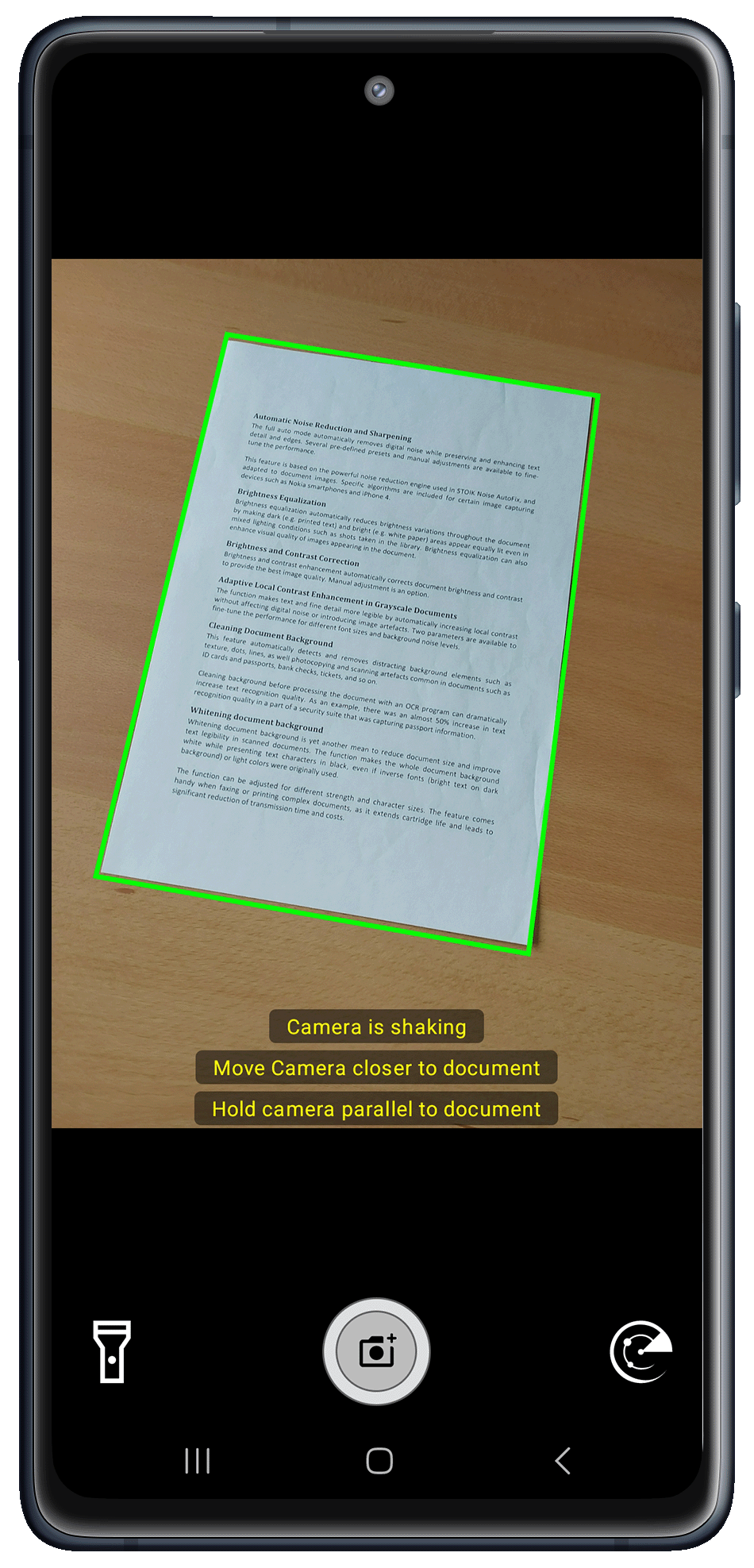
Intuitive User Guidance
Continuously evaluates document quality during capture, detecting framing issues, distortions, and other errors. Triggers automatic capture only when optimal conditions are met.
- Border Detection: Identifies document edges in real time, minimizing background and ensuring proper framing.
- Effective Document Area Checks: Targets the optimal scanning segment, avoiding excessive background or cut-off edges and preventing resolution loss.
- Auto-Capture on Optimal Framing: Takes the shot automatically once the document is aligned, well-lit, and in focus.
- Multi-Page Scanning with Batch Processing: Streamlines multiple-page capturing and processes them all at once.
Ready-to-Use UI Components
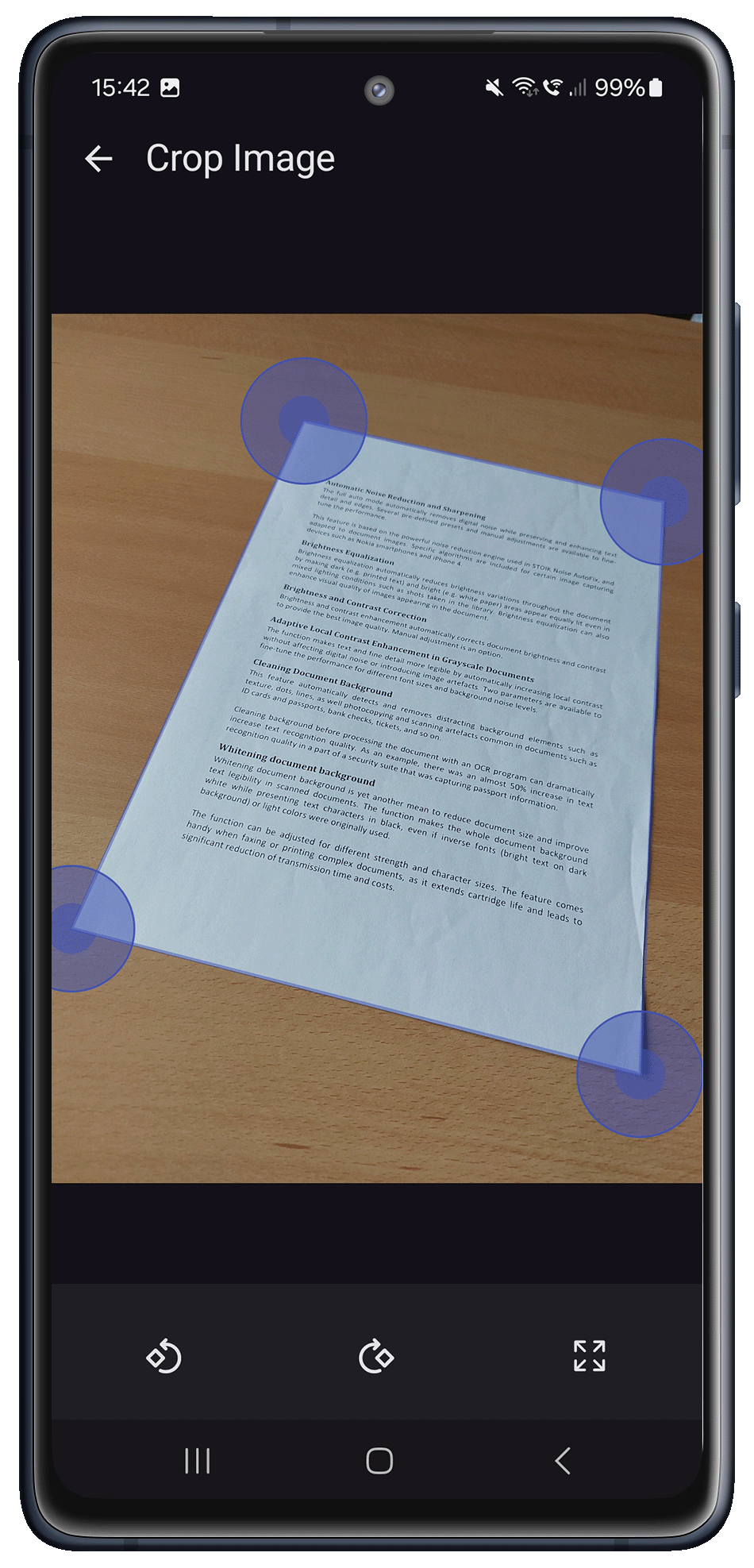
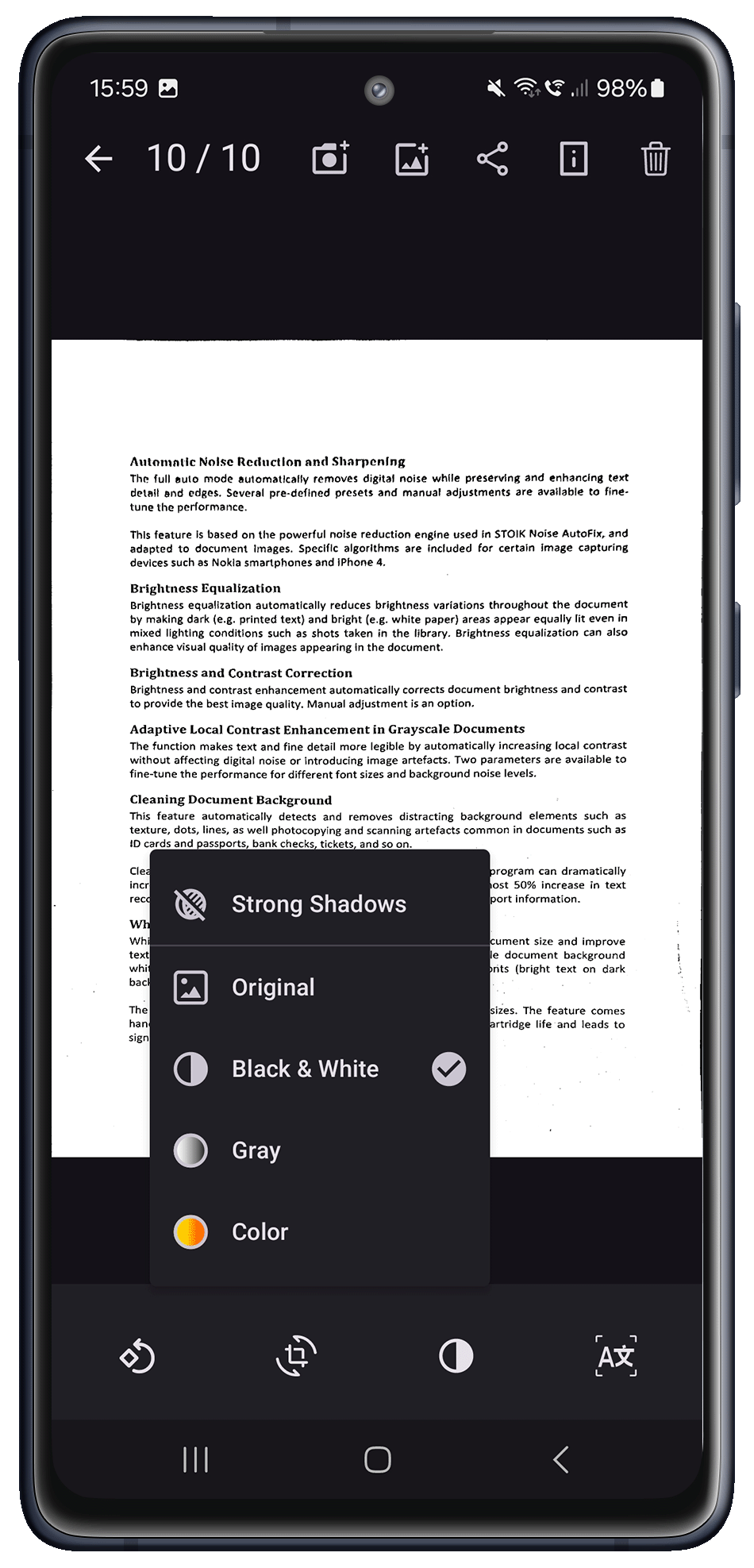
A full set of ready-to-use interface elements that cover the whole scanning process, from capture to final output, all highly customizable for diverse workflow needs:
- Smart Camera Module: Interactive guidance that improves framing and reduces capture errors.
- Document Boundaries & Rotation Editor: Allows precise post-capture alignment and cropping.
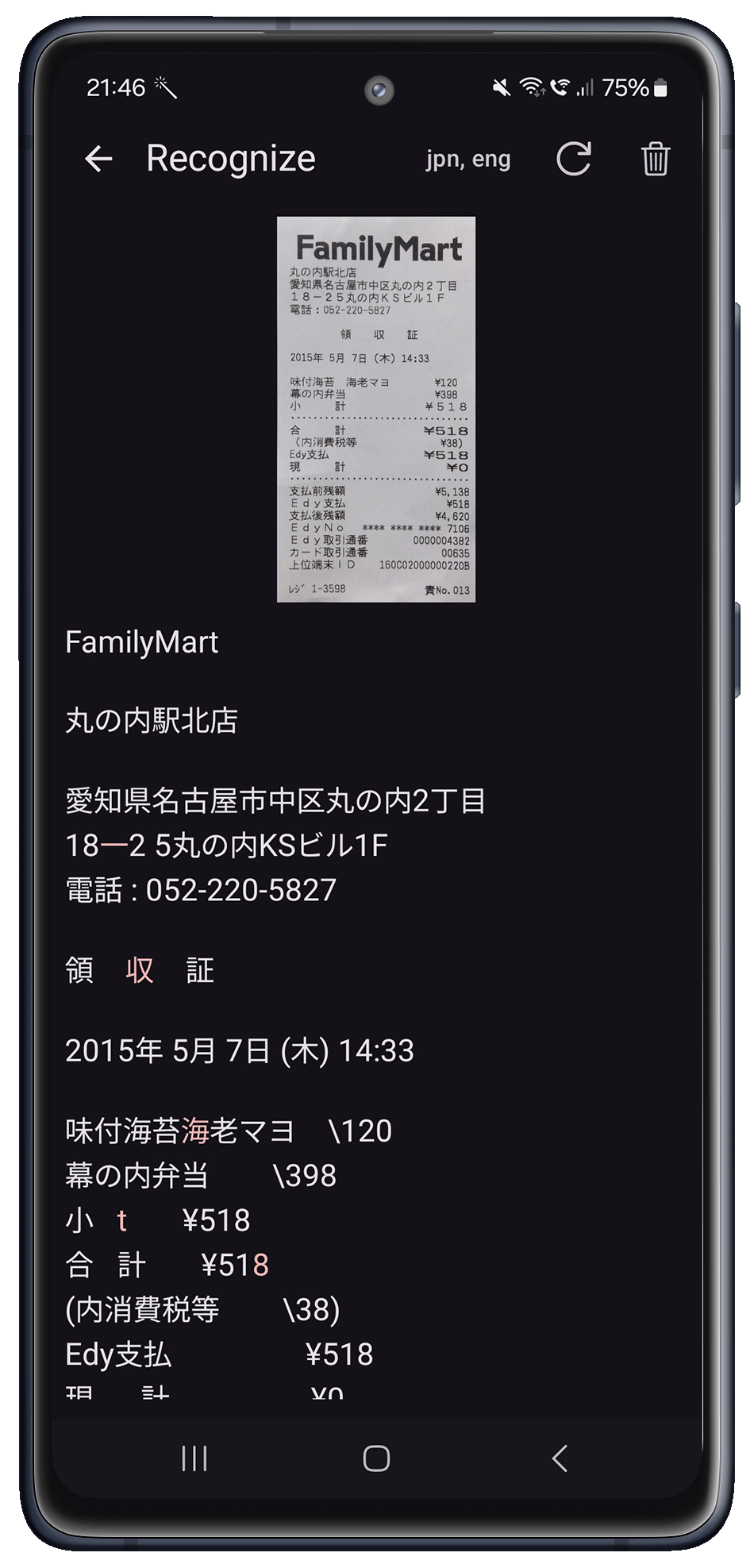
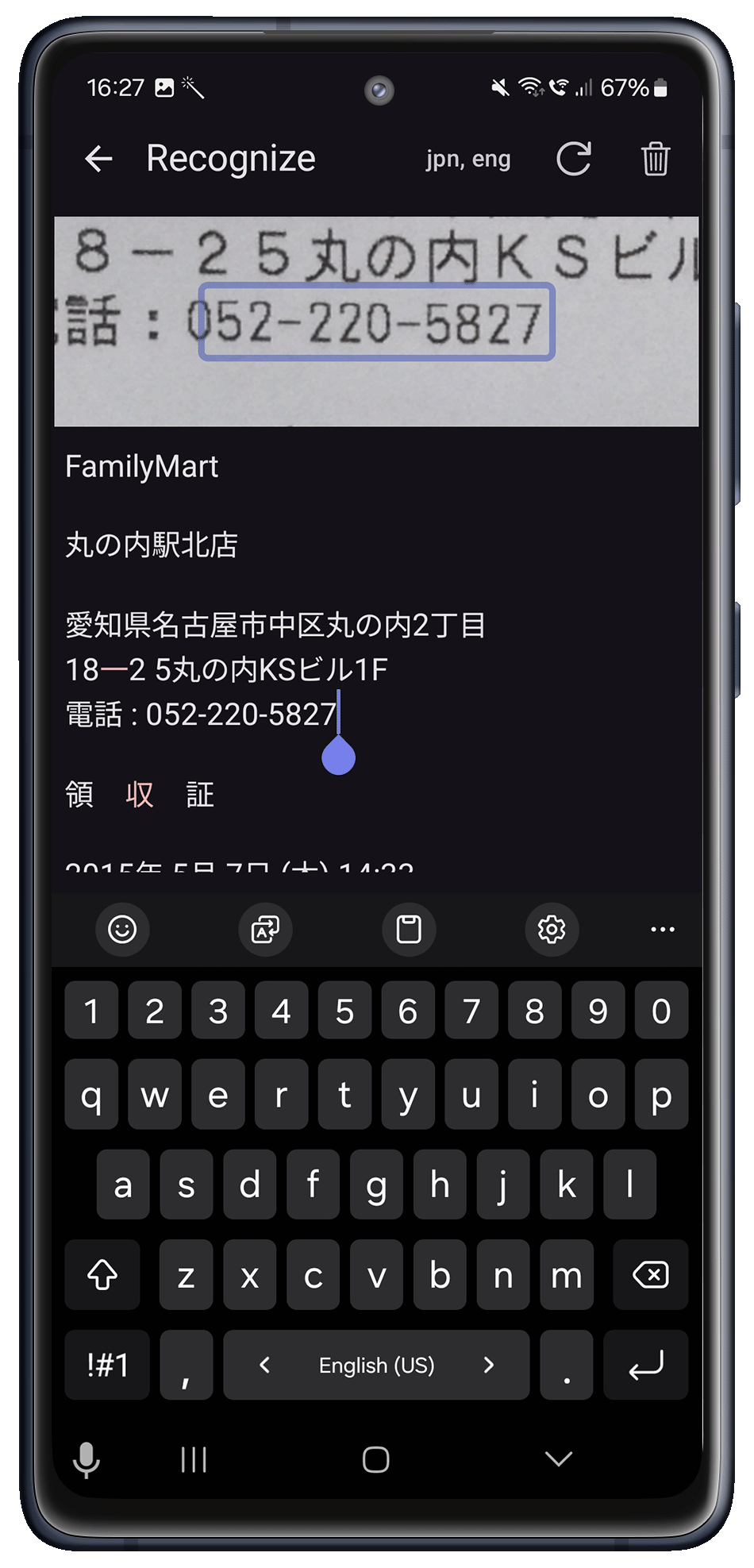
- OCR Results Editor: Presents recognized text for quick review and corrections, boosting accuracy.
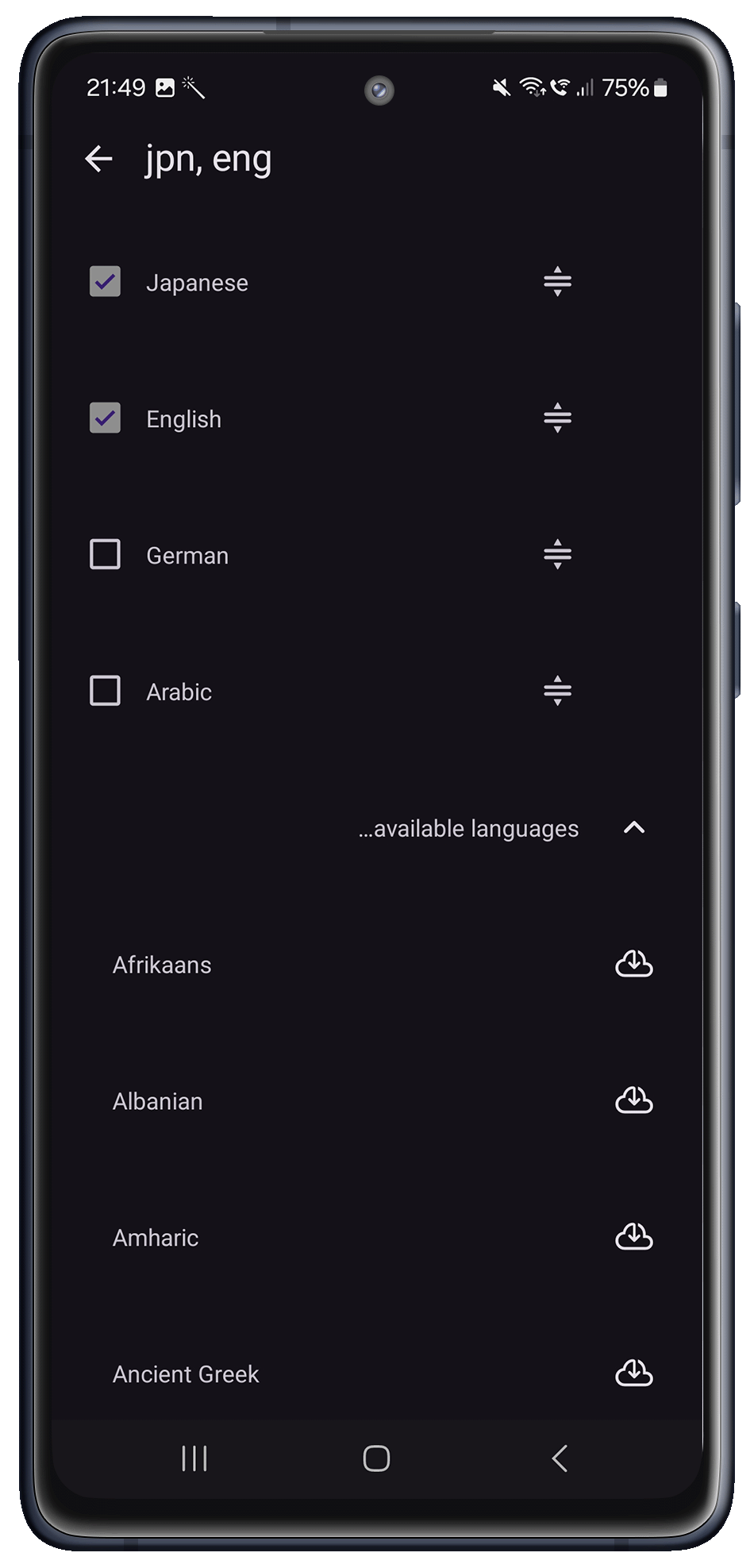
- OCR Language Management: Easily select, install, or remove recognition languages, including multilingual and RTL support.
Advanced Image Processing
- Boundary Detection & Smart Crop: Automatically confirms accurate detection and either crops instantly or seeks user confirmation.
- Distortion Correction: Adjusts skew (2D) and perspective (3D/trapezoid) irregularities.
- Automatic Orientation & Rotation: Analyzes and corrects document alignment.
- Noise Reduction: Minimizes digital interference from camera sensors.
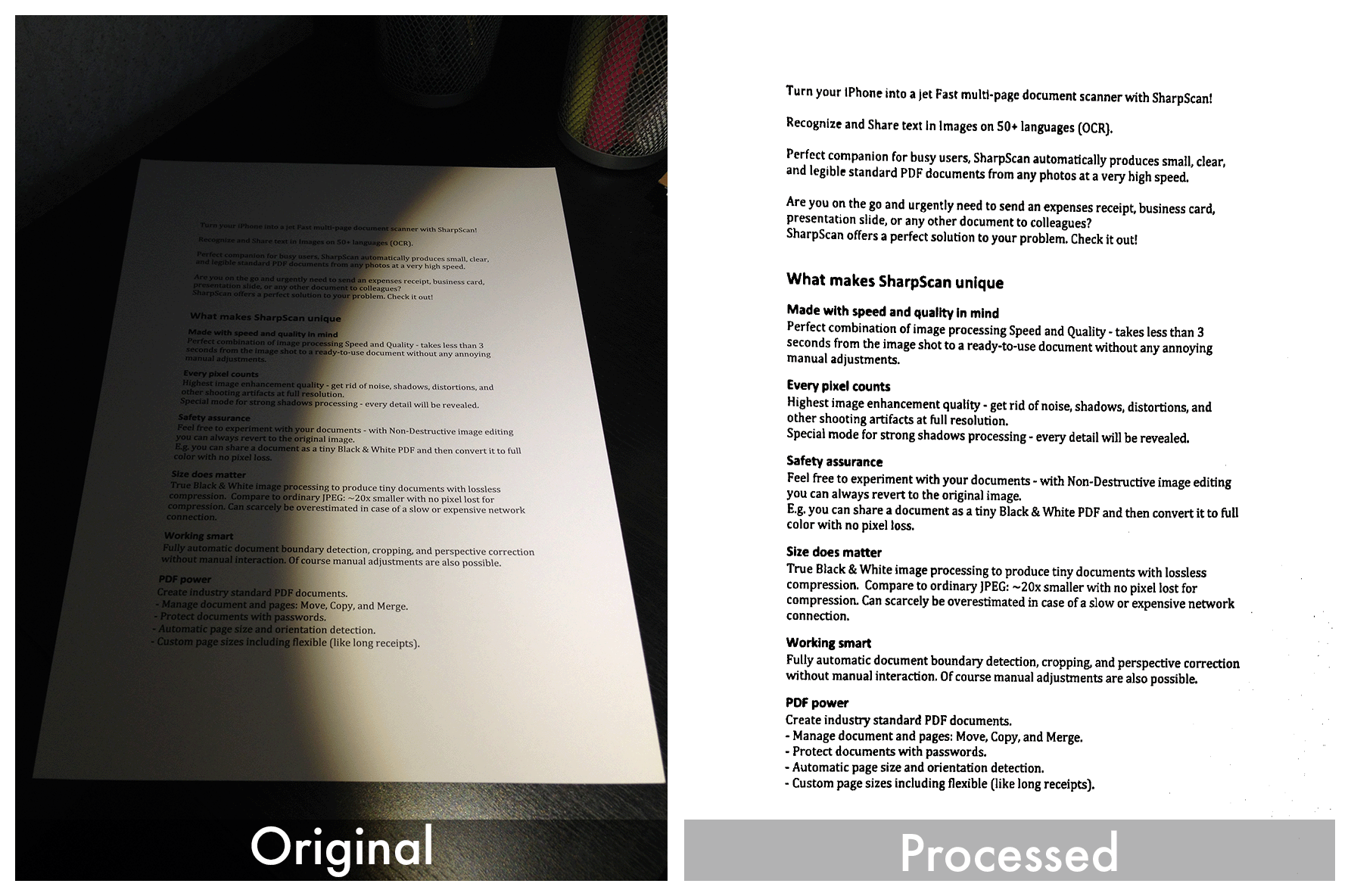
- Brightness & Contrast Equalization: Automatically removes shadows and glare, improving legibility with minimal user input.
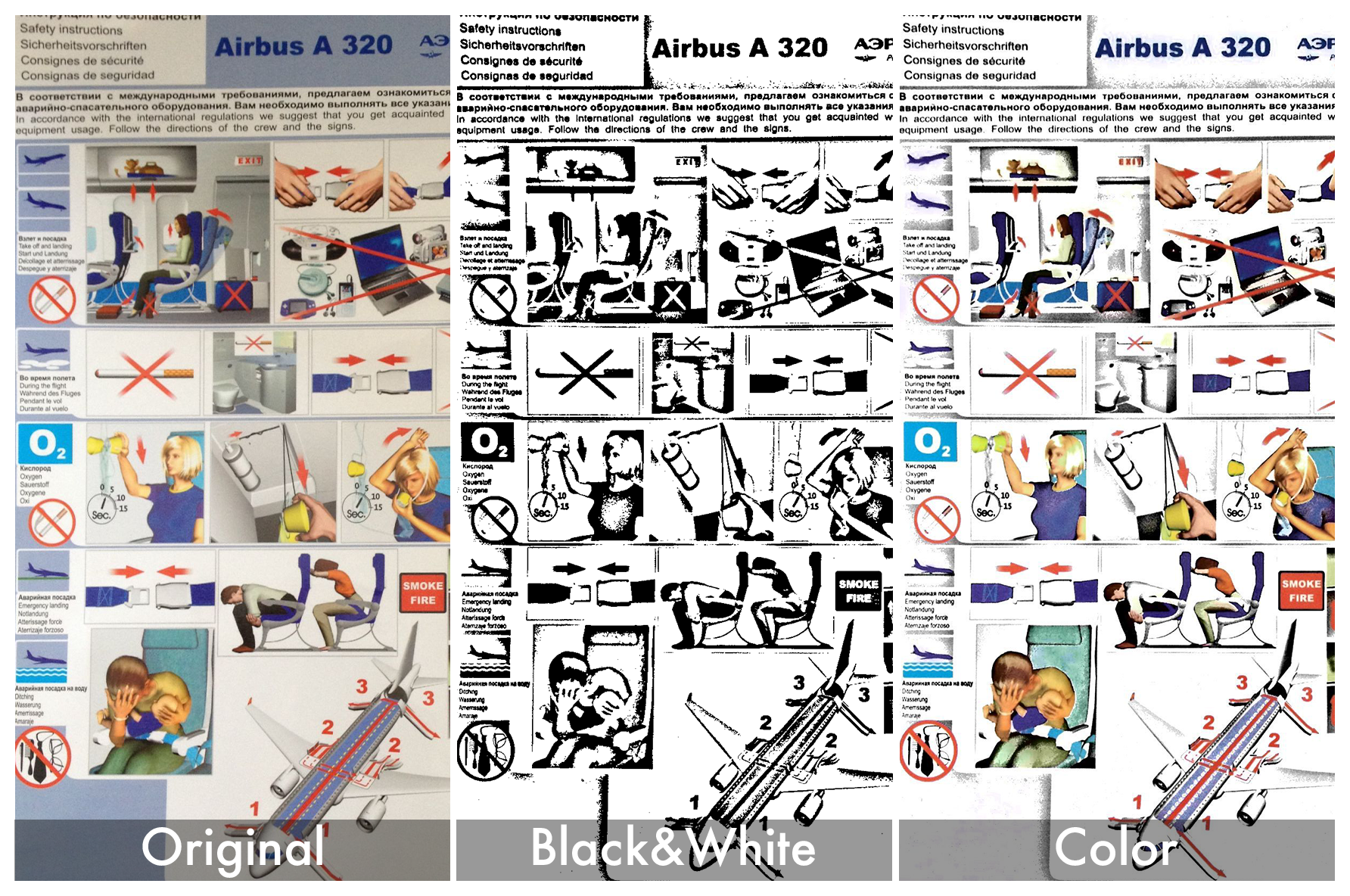
- Adaptive Color Processing: Content aware profiles produces crisp, compact size, OCR-friendly documents.
- Black-and-White: High-precision content oriented binarization boosts OCR accuracy and can shrink files by up to 20x.
- Document Background Cleaning: Removes color casts and textures for sharper results.

OCR for over 100 Languages with PDF power
- Text Recognition: Full on-device OCR supporting multiple languages and RTL scripts.
- Manual Correction Tools: Fine-tune recognized text to maximize accuracy.
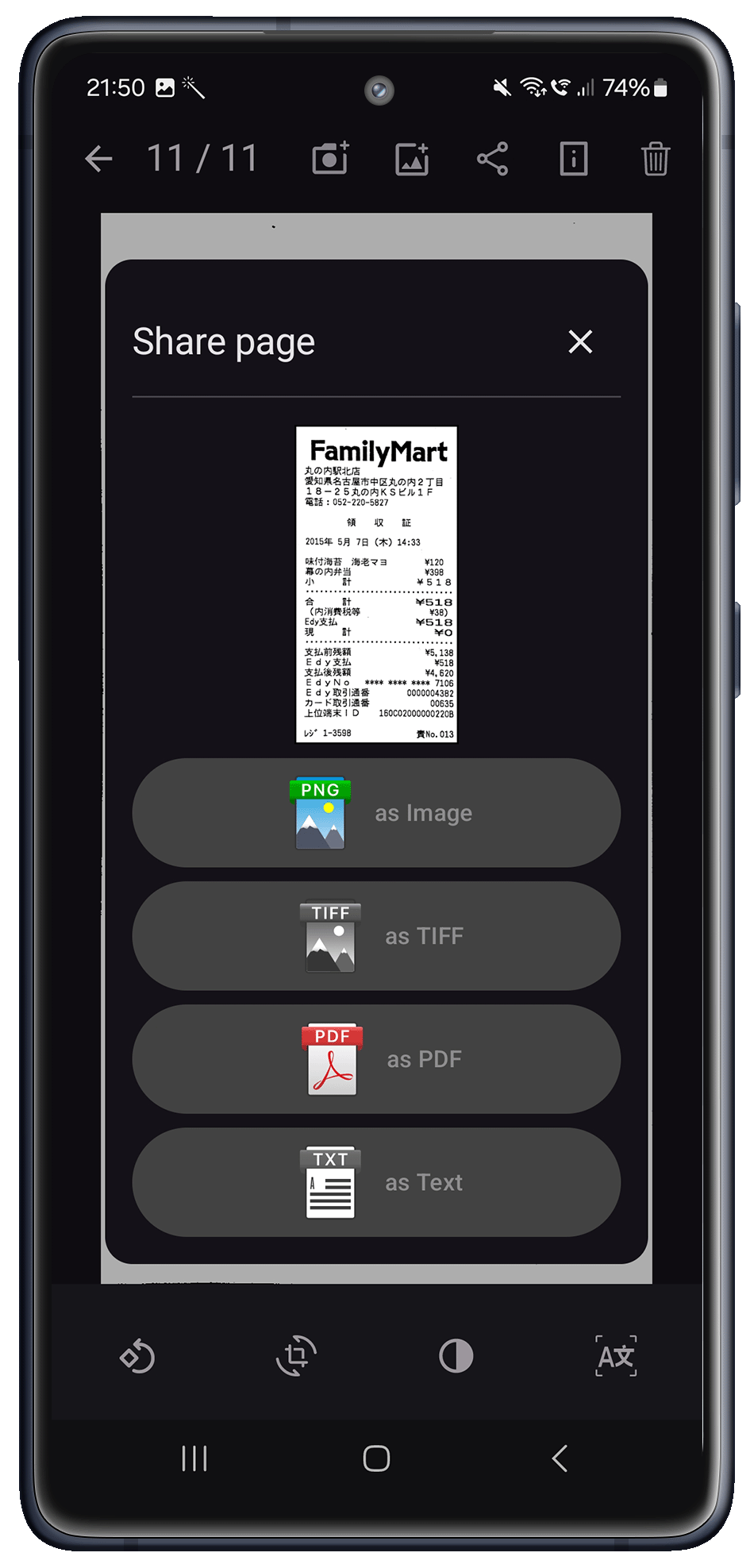
- Multiple Export Options: Output as searchable PDF (text over image) or plain text.
- PDF Export: The advanced PDF engine produces standard PDF files with strong image compression, dramatically reducing file size while preserving clarity:
— Multiple compression settings, from Lossless to Extreme.
— Cuts color file size by up to 90% and black-and-white by up to 50%.
— Layered (aka."sandwiched") PDFs (text over image) for better indexing and searching.
Document Scanner SDK Features Frequently Asked Questions
Traditional imaging software development kits (SDKs) primarily target general photo manipulations, such as format conversions, simple rotations, brightness and contrast adjustments, and basic binarization. While these functions are sufficient for standard image processing, they fall short when handling mobile-captured photographs of paper documents. Such images often require higher-quality reproduction for applications like Optical Character Recognition (OCR), document archiving, digital documentation, and more.
Photographs taken with mobile device cameras typically suffer from various issues, including distortions due to camera angles, inconsistent lighting conditions, shadows, glare, motion blur from shaking hands, out-of-focus shots, and user errors such as improper document positioning within the camera’s viewfinder. These factors significantly degrade image quality, affecting the effectiveness of OCR and other document-based tasks.
Pixelnetica™ Document Scanning SDK addresses these specific challenges by providing advanced preprocessing features optimized for documents captured with mobile devices:
- Efficient Multi-language Text Recognition: Accurately recognizes text in over 100 languages, with full on-device processing.
- Flexible Document Sharing: Easily share documents as “sandwiched” PDFs (containing both the scanned image and selectable text) or as plain TXT files for - straightforward text extraction.
- Smart Crop Technology: Precisely detects and crops document boundaries.
- Automatic Distortion Correction: Corrects 2D geometric and 3D perspective distortions automatically.
- Automatic Orientation Detection and Rotation: Automatically detects and corrects document orientation.
- Enhanced Noise Reduction: Reduces digital noise to significantly improve image clarity.
- Brightness and Contrast Normalization: Mitigates shadows and glare, enhancing document readability.
- Adaptive Binarization: Optimized specifically for OCR, preserving maximum text detail.
- Adaptive Color Processing Profiles: Automatically adjusts color processing based on document content, ensuring optimal readability.
- Secure On-Device Processing: Fully automated processing compliant with GDPR and CCPA, ensuring secure handling of sensitive data.
- Ready-to-use UI Components: A set of customizable UI components for common document scanning flows, which cuts development time and cost.
By leveraging these advanced preprocessing features, Pixelnetica™ Document Scanning SDK produces images that match the high-quality standard of traditional flatbed scanners, significantly enhancing OCR accuracy and the efficiency of paperless workflows.
Yes. All image processing happens on the device, so no images or sensitive data are sent to external servers.
This guarantees full compliance with major data privacy regulations including GDPR, CCPA,CPRA, etc.
Your users’ data stays private, secure, and fully under your application’s control, providing peace of mind and minimizing compliance risks.
Digitizing documents with traditional scanners typically results in clear, evenly-lit, and well-aligned images, benefiting from high-speed scanning and duplexing capabilities. These qualities play a crucial role in ensuring OCR accuracy by minimizing errors and enhancing text extraction reliability.
In contrast, images captured using mobile cameras often encounter challenges like shaky hands, poor lighting, shadows, glare, and various geometric distortions. These factors significantly impact the quality of Optical Character Recognition (OCR), leading to increased error rates or making OCR processing impossible.
To achieve the best OCR results from mobile-captured documents, consider these key image preprocessing steps, each building upon the previous to minimize errors and enhance text recognition more effectively:
- Geometric distortions correction: 2D and 3D perspective distortions (e.g., trapezoidal) should be identified and corrected for accurate text extraction and fewer OCR errors.
- Image Alignment and Rotation: Automatically correct random angles for proper text orientation.
- Noise Reduction: Digital noise caused by camera sensors should be detected and minimized.
- Shadows and Glare Elimination: Properly mitigate shadows, glare, and background artifacts.
- Document Background Cleaning: Remove unwanted background textures, color cast, etc. to enhance text clarity and readability.
- Adaptive Binarization: Convert images into optimized black-and-white or grayscale formats, preserving maximum detail for OCR accuracy.
Pixelnetica™ Document Scanning SDK incorporates all these advanced preprocessing capabilities, including distortion correction, noise reduction, shadow elimination, background cleaning, and adaptive binarization, delivering exceptional OCR-ready results directly on mobile devices. Optimized for use with smartphones, tablets, and document cameras, Document Scanning SDK offers broad cross-platform compatibility and reliable performance, with clarity and legibility comparable to traditional scanners, ready to drop into your mobile applications. Additionally, the SDK offers ready-to-use, critically important UI components that significantly reduce development effort and enhance user experience, including Smart Camera integration, manual document boundaries adjustment, rotation correction, OCR results correction, and language management. The toolkit also supports text recognition in over 100 languages, processed entirely on-device.
Yes.
You can download our free demo application, which includes full SDK functionality (with watermarked outputs), documentation, and sample source code.
Free trial license without watermarking available upon request.
The Document Scanning SDK (DSSDK) from Pixelnetica™ makes it easier to add scanning to commercial mobile apps, improving speed, accuracy, and efficiency. Businesses can rapidly digitize paper documents like invoices, contracts, proof of delivery, questionnaires, etc. reducing processing time and manual errors.
Most features of the Document Scanning SDK are showcased in Pixelnetica™ SharpScan, a full-featured mobile scanner for capturing and managing multi-page documents. Please note that the source code for SharpScan is not available.
Additionally, DSSDK powers our EasyScan application, which is designed to handle one multi-page document at a time. EasyScan’s source code is readily available for Android and Apple iOS and supports modern development frameworks like .NET MAUI and Xamarin, enabling rapid integration and significantly reducing your application development time. This makes implementation quick across multiple platforms.
Get SharpScan
Get EasyScan
Start Your Free Trial Today!
Add document scanning and processing to your mobile app. See for yourself what Pixelnetica™ DSSDK can do.
Get Free Trial